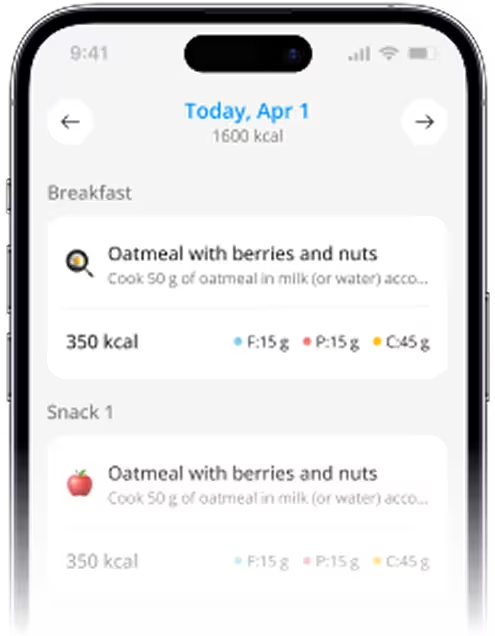
Best Meal Planner App for iPhone (2026)
.webp)
TL;DR: The best meal planner app for iPhone in 2026 is the one that fits your real life: your schedule, cooking level, family, and how much you like tracking. This guide walks through what to look for, compares several iOS friendly meal planners, and helps you decide which app is worth keeping on your home screen long term.
A good planner should reduce decision fatigue, match your grocery habits, and make eating a bit healthier feel realistic, not perfect.
What to look for in a meal planner app in 2026
Before you compare apps, it helps to be clear about the problems you actually want to solve.
Common issues:
- You open the fridge at night with no idea what to cook.
- You buy groceries that never quite match full meals.
- You bounce between recipes, takeout, and snacks.
- You start using an app, then drop it because setup takes too long.
A practical iPhone meal planner should help you:
- Turn a few inputs goals, dislikes, time limits, household size into a simple weekly structure.
- See a grocery list grouped by store sections like produce, dairy, pantry, freezer.
- Swap meals easily when plans change instead of rebuilding everything.
- Reuse weeks and patterns that already worked, so planning gets faster over time.
If you are new to planning in general, starting with Meal Planning Basics: How to Start (Beginner Guide) will give you a simple framework that any app can support.
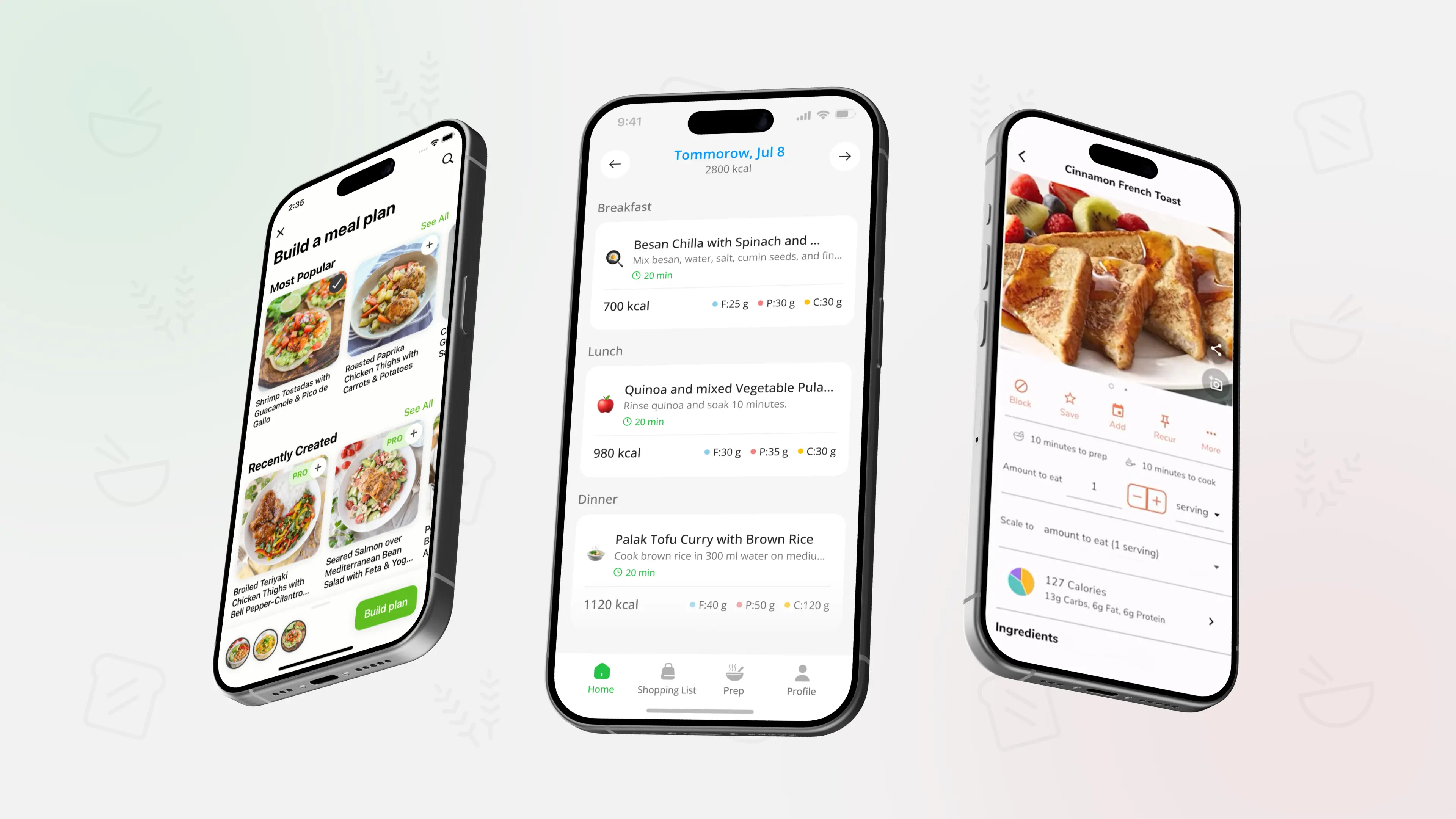
If you like the idea of a weekly plan but do not want to design it from scratch every Sunday, you can use PlanEat AI to generate a personalized weekly menu and a grouped grocery list around your goals, dislikes, and cooking time, then adjust a few meals instead of planning the whole week alone.
Best meal planner apps for iPhone in 2026 quick overview
Here are several iPhone friendly apps that actually help with planning meals, not just browsing recipes. Order is practical, not absolute.
- PlanEat AI weekly AI powered meal planning with grouped grocery lists and simple swaps.
- Mealime fast, approachable dinner recipes with auto generated shopping lists.
- Eat This Much automated meal plans built around calorie or macro targets.
- Paprika Recipe Manager strong recipe organizer with calendar planning and flexible lists.
- eMeals preset weekly menus with optional grocery service integrations in supported regions.
- AnyList shared grocery lists with a light built in meal planner for households.
Detailed look at the top iPhone meal planner apps
Below is the same simple structure for each app so you can compare them easily.
PlanEat AI weekly plans and grouped grocery lists
- Best for: people who want realistic weekly plans and a clear grocery list without heavy tracking.
- Key strengths: focuses on weekly structure first, uses your goals and dislikes to suggest menus, and generates a grouped grocery list by store section. You can swap dinners inside the same pattern and see approximate calories and macros without logging every ingredient.
- Keep in mind: it is built mainly for planning and execution. If you want very detailed long term tracking or fitness analytics, you may still pair it with a separate nutrition or workout app.
For a deeper look at how AI supports menus and lists in general, you can read How AI Helps Meal Planning (Personalized Menus & Lists) and then see how those ideas align with PlanEat AI.
Mealime quick guided dinners
- Best for: beginners and busy people who mainly need fast, step by step dinner recipes.
- Key strengths: focuses on 15 to 30 minute meals with clear instructions and auto generated shopping lists based on selected recipes. Helpful if dinner is your main pain point.
- Keep in mind: the planning experience is centered around recipes you choose each week. It is strong for dinners, lighter on reusable full week patterns for breakfast and lunch.
Eat This Much calorie and macro driven plans
- Best for: users who plan their food intake around specific calorie or macro targets.
- Key strengths: you set calorie or macro numbers and the app creates meals to match those targets. Good if you already like tracking and want the math handled for you.
- Keep in mind: the interface is number heavy and less focused on simple family style weekly planning or a grouped grocery list experience.
If you are thinking about macros more broadly, Macros for Beginners: Protein, Carbs, Fat (How Much?) is a useful explainer that you can combine with any planner, including number focused ones.
Paprika Recipe Manager recipe library plus planning
- Best for: home cooks who love collecting recipes and building a personal archive.
- Key strengths: excellent at clipping recipes from the web, organizing them into categories, scheduling them on a calendar, and turning ingredients into shopping lists.
- Keep in mind: you pick and organize recipes yourself. It gives you strong tools, but it does not automatically generate menus based on your goals.
eMeals preset menus with grocery connections
- Best for: people who like following themed weekly menus and want someone else to pick most dinners.
- Key strengths: offers preset plans for different eating styles and connects with certain grocery services in some regions, so you can send ingredients to pickup or delivery.
- Keep in mind: you mostly work within menus they provide. You can swap recipes, but the experience is closer to following a preset plan than building your own from scratch.
AnyList shared lists and light planning
- Best for: households that need shared grocery lists and a simple way to see what is for dinner.
- Key strengths: strong shared list features, basic meal planning calendar, and easy syncing across devices for couples or families.
- Keep in mind: automation for menus is light. It is ideal if coordination and lists are your main problem and you already know what you like to cook.
How to choose the right meal planner app for your routine
Instead of hunting for one perfect app for everyone, match the tool to how you already live and shop.
Ask yourself:
- Do I want an app to generate menus for me, or to organize recipes I already like
- Is my priority structure and planning, or detailed tracking and numbers
- Am I cooking mostly for myself, or for a household with different tastes
- Do I want a dedicated planner, or one piece of a bigger fitness setup
A simple guide:
- Choose PlanEat AI if you want fast, realistic weekly plans, grouped grocery lists, and easy swaps, with only light tracking.
- Choose Mealime if you mainly want quick dinner recipes with built in shopping lists.
- Choose Eat This Much if hitting specific calorie or macro numbers is your main focus.
- Choose Paprika Recipe Manager, eMeals, or AnyList if your main need is recipe curation, preset menus, or shared lists.
If you want help fitting any app into a consistent habit, Quick Meal Planning: Build a 30-Minute Weekly Plan shows how to do a short planning session once a week so the app becomes a small part of your routine, not another big project. For a broader context on planning at home compared with paid food services, Meal Kits vs Meal Planning: Cost & Convenience (US) is a useful comparison.
Many people find that using a dedicated planner like PlanEat AI for weekly structure and grocery lists, plus a separate tracker only if they enjoy numbers, keeps things simple. Planning and tracking do not have to live in the same app as long as your planner gives you a clear, realistic week to follow.
FAQ best meal planner app for iPhone in 2026
Is there one single best meal planner app for everyone
No. The best app is the one you can stick with for months, not days. For many everyday iPhone users, a planner that focuses on realistic weekly plans and grocery lists is easier to maintain than a complex tracker, but people with specific athletic or medical needs may prefer more specialized tools.
Can I use more than one app at the same time
Yes. It is common to use a planner for structure and a different app for logging or fitness. For example, you can plan meals and generate grocery lists in one app, then log what you actually eat in a separate nutrition tracker if you enjoy that level of detail.
Do I really need an app if I already use notes or spreadsheets
If notes and spreadsheets are working and feel easy, you may not need an app. A planner becomes helpful when you want automatic menu suggestions, grouped grocery lists, and faster swaps, especially when you are tired or busy and do not want to rebuild the plan yourself every week.
Can a meal planner app help with weight loss
It can support weight related goals by helping you plan balanced meals, reduce random snacking, and cook at home more often. The app itself is not a medical tool, but pairing a structured planner with guides like 7-Day Weight Loss Meal Plan (With Shopping List) and advice from a professional can make it easier to follow a consistent pattern.
What if my schedule is very unpredictable
If your week changes a lot, look for a planner that makes swapping meals simple and supports leftovers or batch cooking. Combining flexible planning with the mindset from Using Leftovers Smartly: Plan, Cook, Re-use helps you avoid waste and still have something ready to eat when your day does not go as planned.
Educational content only - not medical advice.
How to pick the right iPhone meal planner for you
The most useful meal planner app is the one that turns your real schedule and food preferences into a simple weekly plan and grocery list you can follow. Compare how different apps handle planning, lists, tracking, and sharing, then choose the one you can see yourself using calmly week after week.

.webp)
.webp)
.webp)
.webp)
.webp)
%20(2026).webp)
.webp)
.webp)
.webp)
%20(2026).webp)
.webp)
%20(2026).webp)
.webp)
.webp)
.webp)
%20Quick%20Ideas%20(2026).webp)
.webp)
.webp)
.webp)
%20Simple%20Staples%20(2026).webp)
.webp)


.webp)
.webp)
.webp)
_.webp)
_.webp)


.webp)
_webp.webp)
_.webp)
_.webp)
_webp.webp)
.webp)
.webp)
_%20What%20to%20Buy%20When%20(2026)_.webp)
_.webp)
webp.webp)
_.webp)
.webp)
.webp)
.webp)
.webp)
.webp)
.webp)

.webp)
.webp)
.webp)
.webp)

.webp)
.webp)

.webp)
.webp)
%20%2B%207%E2%80%91Day%20Menu.webp)
.webp)


.webp)




.webp)
.webp)
.webp)
.webp)