Best Nutrition & Diet Apps (2025): iOS Focus
%20iOS%20Focus.webp)
TL;DR: Nutrition and diet apps for iPhone in 2025 fall into a few clear groups: weekly meal planners, calorie and macro trackers, food quality scanners, and habit coaching apps. This guide starts with a quick list of solid iOS options, then explains what each type is good at, how to choose based on your real goal, and how to use these tools without turning food into a full time job.
Quick list: best nutrition and diet apps for iPhone in 2025
Below is a practical shortlist of iOS apps that cover most people’s needs, from simple weekly planning to detailed tracking and coaching.
PlanEat AI (iOS)
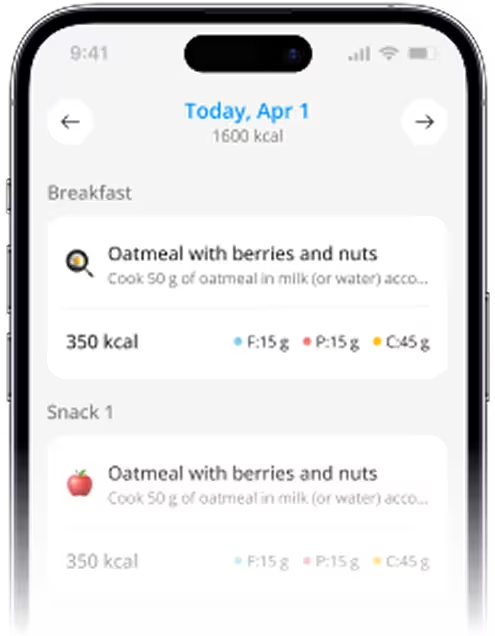
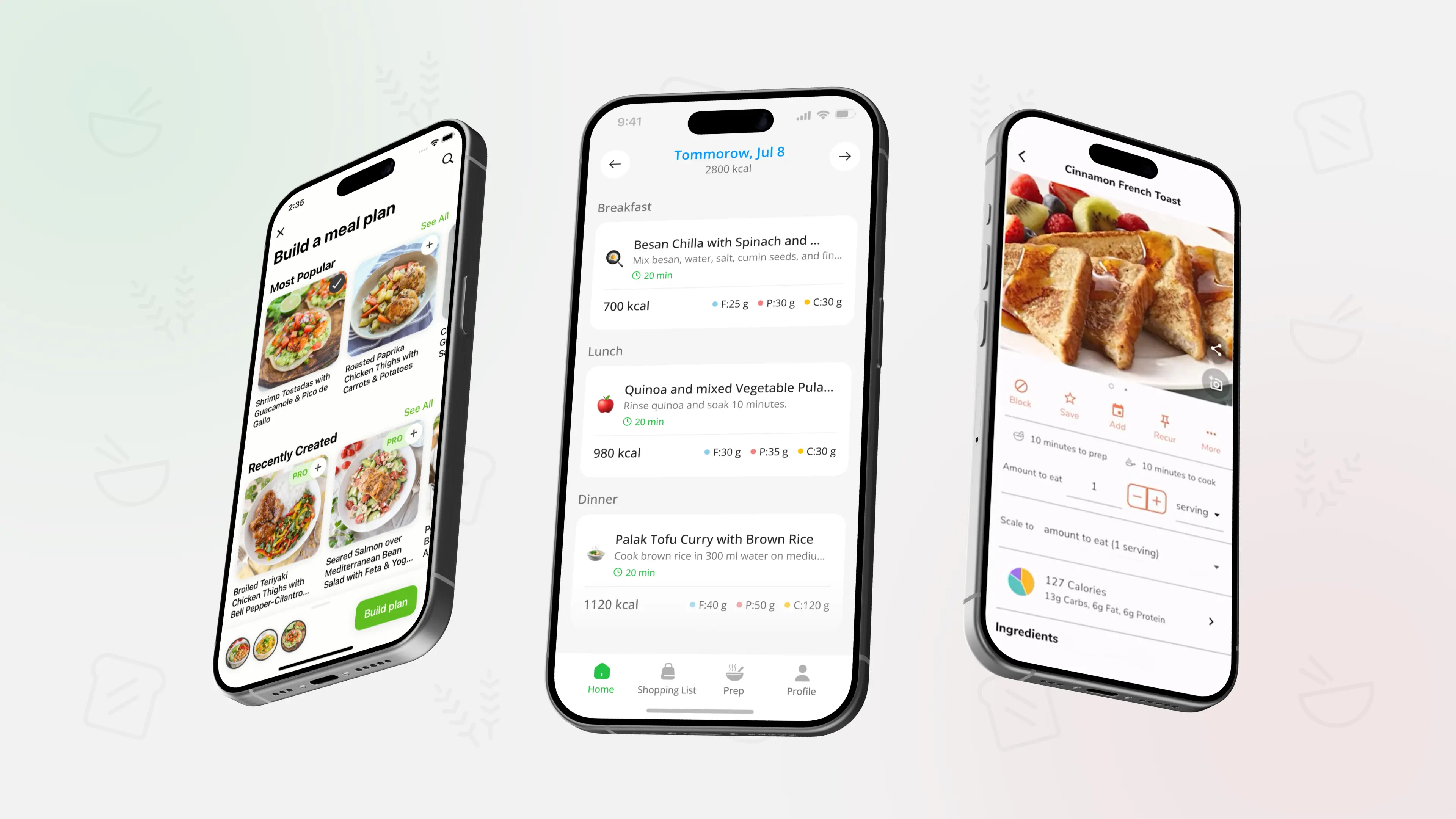
AI powered meal planner that creates realistic weekly menus with simple recipes, plus a grocery list grouped by store section that matches your menu. You set goals, preferences, time to cook, and meals per day, then adjust the plan instead of starting from zero each week.
MyFitnessPal (iOS)
Large food and exercise tracker with a big database, barcode scanning, and detailed calorie and macro logging. Helpful if you want numbers on intake alongside workout tracking.
Cronometer (iOS)
Precision focused tracker that logs calories plus vitamins and minerals using a verified food database. Good fit if you care about micronutrients as well as macros.
Lifesum (iOS)
Calorie and macro tracker with nutrition plans, meal plans, recipes, and in app grocery lists. A middle ground between pure tracking and guided meal ideas.
Yazio (iOS)
AI assisted calorie counter that supports intermittent fasting, has a large food database and barcode scanner, and offers basic meal planning and recipe suggestions.
Noom (iOS)
Psychology based weight and health app that mixes food logging and activity tracking with daily lessons, habit tools, and optional coaching. Designed more as a behavior change program than a pure tracker.
Fooducate (iOS)
Nutrition scanner that grades packaged foods from A to D, highlights added sugar and other ingredients, and suggests alternatives. Also supports weight and meal tracking if you want it.
Nutrisense (iOS)
Continuous glucose monitoring app that pairs with a sensor and dietitian guidance to show how your food, sleep, and activity affect your blood sugar. More advanced and usually used with professional support.
If your main problem is deciding what to cook and buy each week, starting with a planner such as PlanEat AI can be simpler than logging everything you eat. It creates a weekly menu around your preferences and a grouped grocery list, so you can follow the plan instead of rebuilding it every night.
What jobs these apps actually do
Rather than thinking about categories in the abstract, it helps to match each type of app to a job in your life.
Meal planners
- Turn your goals, dislikes, and time limits into a weekly or monthly menu.
- Generate a grocery list that matches those meals.
- Reduce daily decision making by deciding once for the week.
If you like the idea of structured menus, you can also look at Best AI Meal Planner Apps for iPhone (iOS, US 2025) for a deeper comparison of iOS planning tools.
Calorie and macro trackers
- Log foods and drinks, usually with a barcode scanner.
- Estimate calories and macros, sometimes micronutrients.
- Show charts and weekly averages.
They are strong when you want to understand intake or hit a specific macro ratio, but they take more daily effort.
Food quality scanners
- Scan packaged foods in the grocery store.
- Grade overall product quality based on ingredients, added sugar, and other factors.
- Suggest healthier alternatives in the same category.
These help if a lot of your confusion comes from labels and marketing claims.
Habit coaching apps
- Provide daily lessons about psychology, habits, and nutrition basics.
- Include food and activity tracking, but combine it with mindset tools.
- Sometimes add group support or one to one coaching.
They can be useful if you want more structure and education, not only numbers.
For a broader foundation about what balanced meals look like in the first place, you can read Healthy Eating Basics: Build a Balanced Plate and use that as a lens while comparing different apps.
How to choose the right app for your goal
Start by stating the main problem you want to solve in one sentence. Then match it to a type of app.
Examples:
- If you say, "I never know what to cook or buy", a weekly meal planner is the most direct fit.
- If you say, "I want to know roughly how many calories and macros I eat", a tracker like MyFitnessPal, Cronometer, Lifesum, or Yazio fits better.
- If you say, "I keep bouncing on and off diets because of mindset", a habit focused app such as Noom can be worth testing.
- If you say, "I buy a lot of packaged food and do not trust labels", a scanner like Fooducate is most relevant.
You do not have to marry one app forever. A realistic approach is:
- Use a planner as your base structure for meals.
- Use a tracker for short periods when you want extra data or feedback.
- Use scanning or coaching tools situationally.
If you are unsure whether you will do better with numbers or with structure, Calorie Counting vs Meal Planning: What Works Better? can help you compare both styles and see which one sounds more sustainable for your situation.
Using nutrition and diet apps in a healthy way
Any of these apps can support you, and any of them can become a source of stress if used rigidly. A few guidelines keep things in check.
Helpful habits:
- Decide what your app is for right now. For example, "learn my intake for two weeks", "get a stable dinner routine", or "check new packaged foods".
- Look at trends across several days or weeks, not single numbers.
- Remember that most targets are estimates, not medical prescriptions.
- Take breaks from tracking if it starts to feel heavy, obsessive, or guilt driven.
If an app makes you more anxious around food, or you notice that you cannot eat without checking it, that is feedback too. You can adjust how often you use it, switch to a simpler planning approach, or talk with a health professional.
If you prefer structure without micromanaging every bite, you can keep your favorite breakfasts, lunches, and dinners as reusable patterns inside PlanEat AI and let the app build weekly menus around them. You still get an organized grocery list and consistent structure, while staying free to use a tracker or scanner only when you actually need more detail.
Example: a simple iOS setup that does not take over your life
You do not need a folder full of nutrition apps on your phone. One or two can be enough.
A realistic setup might look like this:
- Use PlanEat AI once a week to build your menu and grouped grocery list.
- Use a tracker such as MyFitnessPal or Cronometer for five to seven days every month if you want to check intake ranges.
- Use Fooducate when you are shopping for new packaged foods and want quick quality grades.
For weight focused goals, you can combine this structure with a concrete plan such as 7-Day Weight Loss Meal Plan (With Shopping List) and adapt the details to your needs and preferences.
Over time, the goal is not to depend on any app for every decision, but to build a simple repeatable pattern you can stick to even when you open your phone less often.
FAQ:
Do I really need a calorie tracker, or is a meal planning app enough
For many people, a meal planning app is enough to improve consistency, reduce last minute choices, and support weight or health goals. Calorie tracking can be useful as a temporary tool when you want more precise data or when you are working toward a specific target with guidance.
Which app should I start with if I hate logging food
If logging every bite feels like too much, it is usually better to start with a planner that gives you a simple weekly menu and grocery list. You can add a tracker later for short check ins if you want to see rough calorie or macro ranges.
Are AI based meal planners and nutrition apps safe to use
AI can make planning and tracking faster and more personalized based on your inputs, but it still follows general rules and patterns. It should be treated as educational support, not as medical advice. If you have medical conditions, medications, or complex needs, discuss any major changes with a clinician.
Which app is best for long term weight management
There is no single best app for everyone. Some people do well with long term use of trackers like MyFitnessPal or Cronometer, others prefer habit based tools like Noom, and many find that a weekly planner plus occasional tracking is the calmest option. The right tool is the one you can stick with without burning out.
Can these apps replace a dietitian or doctor
No. Apps can help with awareness, planning, and day to day decisions, but they do not know your full medical history. For specific health conditions or significant weight changes, working with a dietitian or doctor is important.
Educational content only - not medical advice.
Match the app to the job you need done
Instead of searching for a single best nutrition or diet app, focus on the job you want help with right now, such as weekly planning, detailed tracking, label reading, or mindset. Choose one or two iOS apps that make that job easier, then let the rest of your routine stay as simple and repeatable as possible.

.webp)
.webp)
.webp)
%20Simple%20Staples%20(2026).webp)
.webp)


.webp)
.webp)
.webp)
_.webp)
_.webp)


.webp)
_webp.webp)
_.webp)
_.webp)
_webp.webp)
.webp)
.webp)
_%20What%20to%20Buy%20When%20(2026)_.webp)
_.webp)
webp.webp)
_.webp)
.webp)
.webp)
.webp)
.webp)
.webp)
.webp)
.webp)
.webp)
.webp)
.webp)
.webp)
.webp)

.webp)
.webp)
%20%2B%207%E2%80%91Day%20Menu.webp)
.webp)

.webp)
.webp)




.webp)
.webp)
.webp)
.webp)
.webp)
.webp)
.webp)
.webp)
.webp)
.webp)
.webp)
.webp)
.webp)
..webp)